Processor-FPGA Communication: FPGA Part
- Date:
12 Aug 2019
Corresponding Project Folder
Dependency
Quartus (For FPGA part) [I am using Quartus Lite 18.1]
C Programming (For Processor part)
What is the problem ?
Before Cyclone V, FPGAs I used are independent. So I used SPI, UART etc. to handle communication with Processors
In Cyclone V, Processor (Called HPS) and FPGA are put on the same chip (Known as SoC)
So we use a communication interface with much better performance: AXI (Advanced eXtensible Interface)
The key to AXI is the share of memory
FPGA Part
Step 1 AXI Bridge Block Diagram
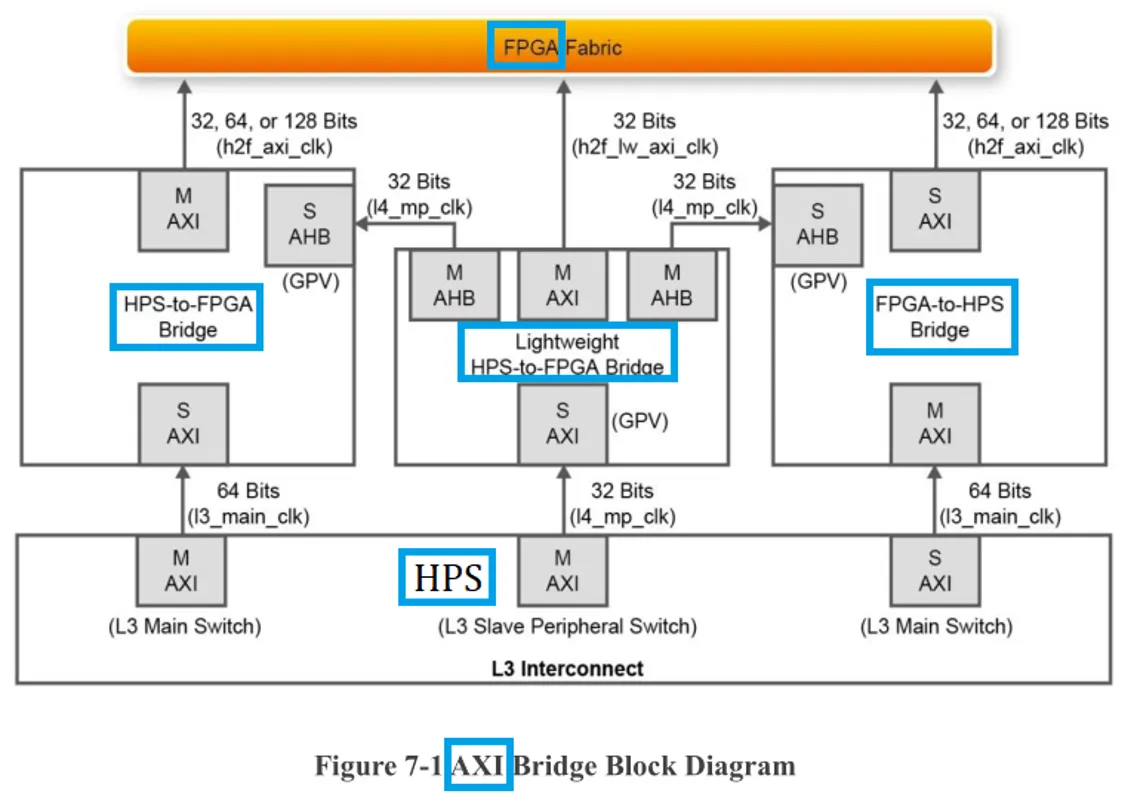
Step 2 To design the entire system from scratch is hard, We only need to modify the Basis Design
Download file DE10-Nano CD-ROM from DE10 Nano Development Board Website
The Basis Design files can be found in
DemonstrationsSoC_FPGADE10_NANO_SoC_GHRDfolderOpen
DE10_NANO_SoC_GHRD.qpfwith Quartus
Step 3 Map Memory Address to Physical Pins
Go to Quartus >> Tools >> Platform Designer
A open file window should pop up, choose file
soc_system.qsysThe following figures should explain themselves
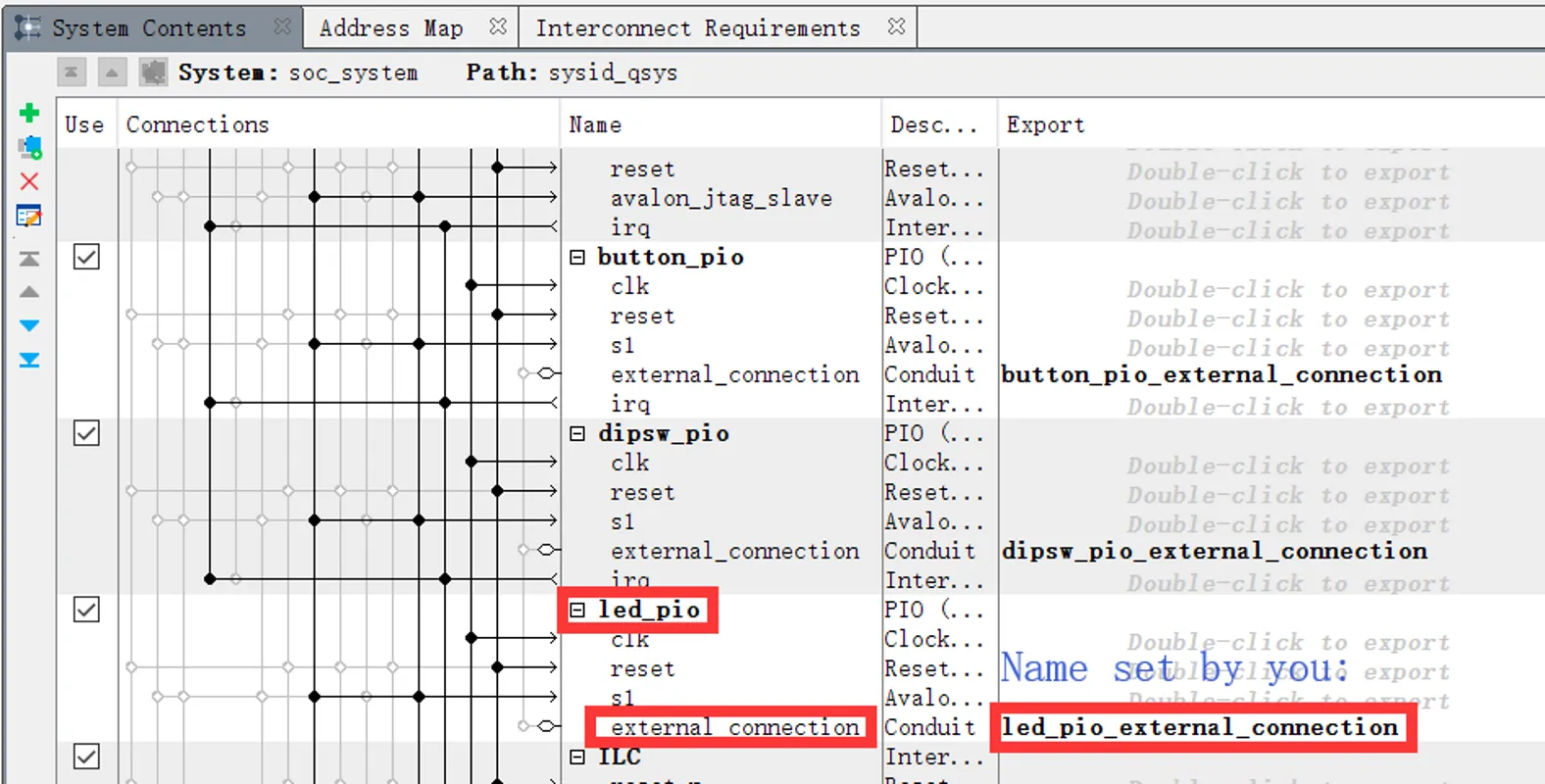
At System Contents set the name led_pio_external_connection
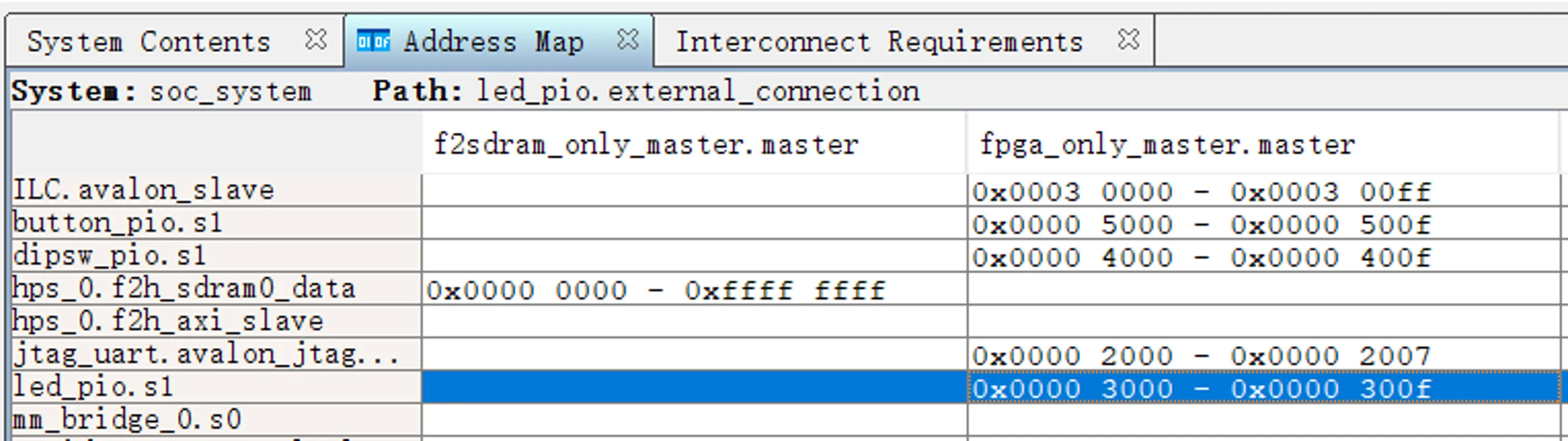
At Address Map define address for led_pio
Now go back to Quartus from Platform Designer, open the Verilog file
DE10_NANO_SoC_GHRD.v

In DE10_NANO_SoC_GHRD.v file we connect led_pio_external_connection_export to fpga_led_internal
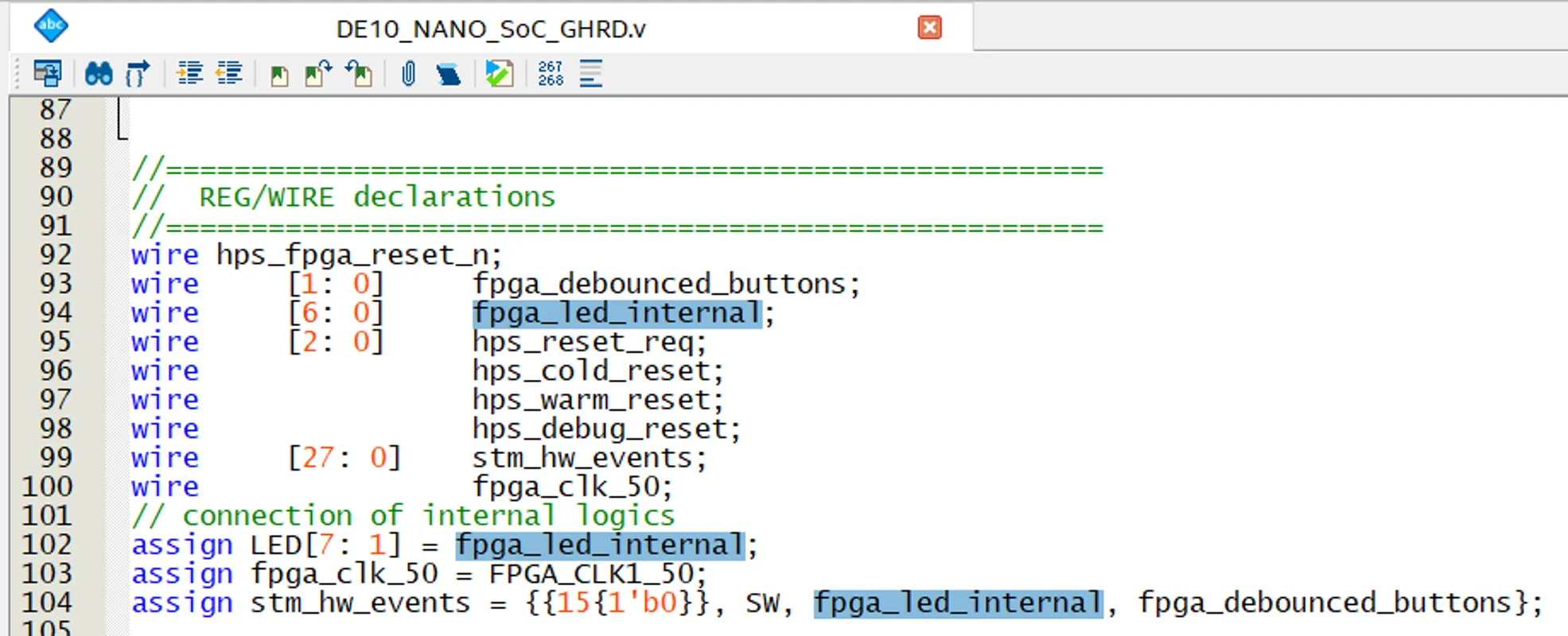
In DE10_NANO_SoC_GHRD.v file we connect fpga_led_internal to LED
Now open Pin Planner, refer to file Pin Map html
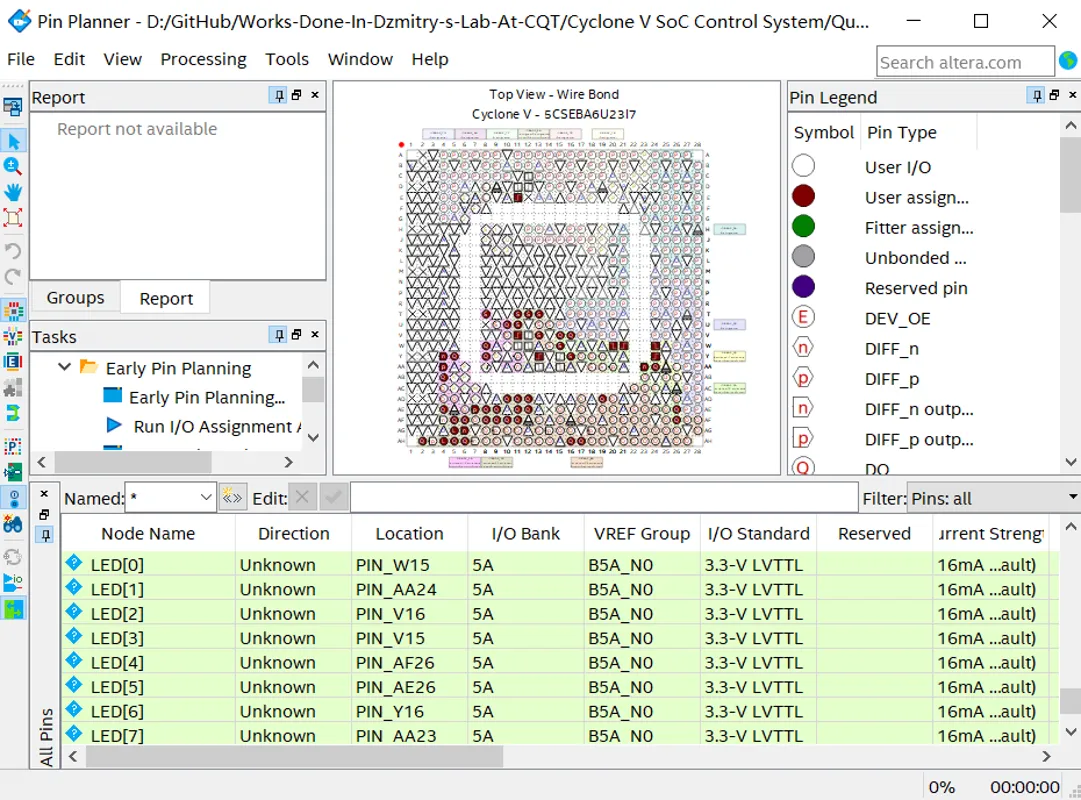
Here we connect LED to Physical Pins on FPGA
Now we know how to map Memory Address to Physical Pins, these Memory Address will be directly used in C Programs later
Step 4 Generate >> TCL >> Compile >> Program
Platform Designer >> Generate >> Generate HDL… >> Generate. This automatically generates Verilog files which you would have to write yourself if you don’t use Platform Designer
.tclfiles are already executed in GHRD project, so you can skip this step. But if the project is not based on the GHRD project: Quartus >> Tools >> Tcl Scripts…, select_parameters.tcland_pin_assignments.tcland RunQuartus >> Processing >> Start Compilation,
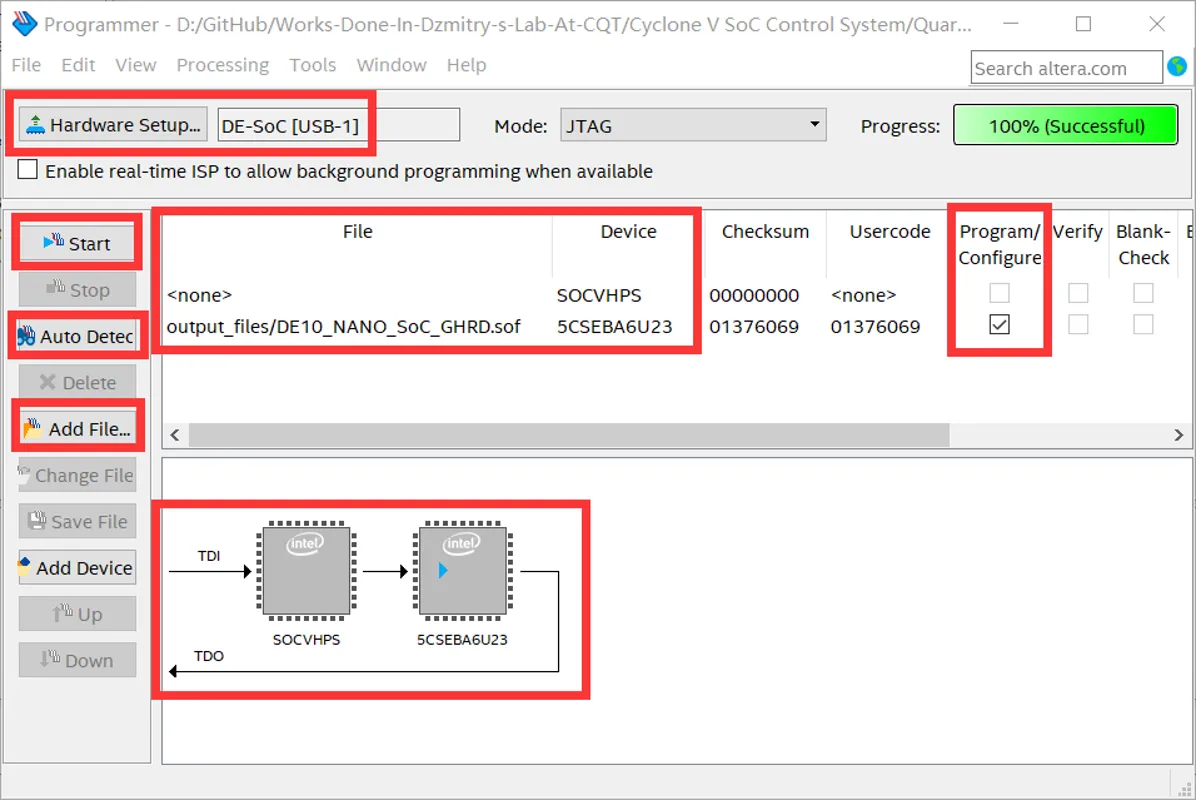
DE10_NANO_SoC_GHRD.sofwill be generatedoutput_filesfolderFinally just use Quartus >> Tools >> Programmer to program the board